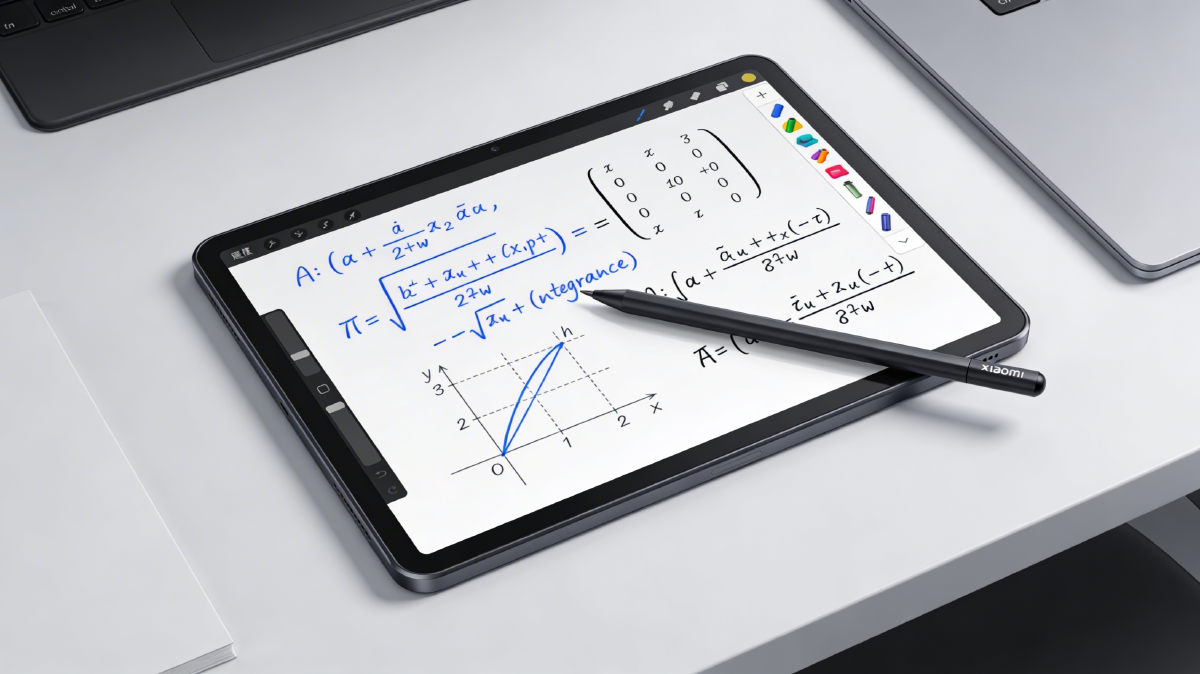
A few months ago, I acquired the Xiaomi Pad 7 along with its original stylus, the Focus Pen, at a very good price. My goal was to use it for university notes, so over these last few months, I have tested dozens of handwriting apps, and I believe I have finally found the best ones. In this post, I will talk about some options I tested and which ones are the best in my opinion.
Mi Canvas: The native disappointment #

Mi Canvas is the default application pre-installed on the Xiaomi Pad 7 and other tablets from the brand. It is decent for quick doodles, but it is not designed for serious university note-taking.
The first major issue is that the strokes are NOT vector-based. What does this mean? It means that when you share or export your notes, they will pixelate when zoomed in. Look at the image below: the text on the left (Mi Canvas) is clearly pixelated; the one on the right (another app with vector strokes) remains infinitely sharp. For me, this rules it out immediately.

Other serious flaws:
- No navigation: With long notes, you cannot easily jump between pages. You have to scroll endlessly to find previous information.
- No organization: All notes are in a single folder. Impossible to organize by subjects, topics, or semesters.
- Limited cloud: It only syncs with Xiaomi Cloud. No Google Drive, Dropbox, or anything useful.
It serves for a quick sketch or screenshot, but for uni notes, it is a joke.
Score 4/10
| ✅ The good (Mi Canvas) | ❌ The bad (Mi Canvas) |
|---|---|
| Native integration: Works perfectly with the pen buttons (to change tools and colors) without configuring anything. | Lack of functions: No layers, No organization options, nor many customization options. |
| Minimal latency: Being a system app, the stroke is almost instantaneous. | Poor interface: Few brushes, no advanced page customization options. |
| Free: Comes installed, zero cost. | No decent export: Forget about getting a high-quality vector PDF or easily viewing notes on PC. |
| Simplicity: “Plug and play,” ideal for quick notes or messy doodles. |
Samsung Notes: The exclusive gem #

If you have a Samsung tablet, look no further: this is your best option, period. It is the native application par excellence and, unfortunately, it is exclusive to the Samsung ecosystem. Although modified APKs exist for other brands, they usually have sync issues or capped features, so if you have a tablet from another brand, forget about using it 100%.
Technically, it is everything Mi Canvas should be and is not. Samsung Notes plays in another league: impeccable vector writing engine, perfect cloud sync (Microsoft OneNote/PC), drawing layers, audio recording synced with what you write (brutal for lectures), and PDF management that is a delight.
If you have a Samsung tablet, it is probably the best option.
Score 8.5/10
| ✅ The good (Samsung Notes) | ❌ The bad (Samsung Notes) |
|---|---|
| Vector engine: Perfect stroke and infinite scaling without pixelation. | Exclusivity: Only works well on Samsung Galaxy devices. |
| Audio sync: Records the class while you take notes; during playback, it highlights what you were writing at that moment. | Lock-in: If you switch brands (to Xiaomi/iPad), exporting your editable notes is a pain. |
| PC ecosystem: Has a native app for Windows (although it only installs easily on Samsung Galaxy Book laptops; others require tricks). | Linux sync: No native client; you depend on OneNote web or backups. |
| Free and complete: Comes pre-installed with Pro features that others charge for. |
Squid Notes: The efficient veteran #

Squid is one of the pioneer apps on Android for handwritten notes and, surprisingly, it is still putting up a fight. Although its free version is very limited for serious use (you will miss basic tools), its subscription model is ridiculously cheap: €1 per month or €10 per year. A symbolic price for a professional tool.
Its greatest virtue is technical: it uses an OpenGL-based vector rendering engine that achieves extremely low latency even on old devices. This means the “ink” flows from the pen tip with no perceptible delay, which is critical for writing fast. Additionally, it generates very light vector PDF files, perfect for sharing or printing without losing quality.
However, its age shows. Despite being on the market for over a decade, it still lacks a native PC client or web version, which is unforgivable in 2026. The only solution is to enable “Automatic PDF Export” to the cloud (Google Drive/Dropbox/Box) to have a readable copy on your computer.
They recently gave the interface a facelift with a more modern design, which was much needed, although the pure editing experience (selecting, moving, changing color) still feels a step behind modern apps.
It is the ideal option if you want speed, stability, and files that do not take up gigabytes. Do not expect artistic flourishes; it is a brute work tool.
Score 7/10
| ✅ The good (Squid) | ❌ The bad (Squid) |
|---|---|
| Performance: Minimal latency and extreme fluidity on any tablet. | No PC/Web client: Forced to use “hacks” (auto PDF export) to view notes on Linux/Windows. |
| Light files: Generates vector PDFs that take up very little space. | Interface: Although improved, the editing UX feels “old.” |
| Price: €10/year is unbeatable for a pro tool. | |
| Reliability: It is a rock, does not crash and syncs correctly. |
Saber Notes: The open source alternative #

Saber is the application I have used for the longest time and, for me, the only real open-source competition against giants like Samsung Notes. In fact, its creator designed it explicitly to fill that gap in the free Android ecosystem.
Being open source, you have total control: you can audit the code, see how it works inside, and even make your own fork to add specific functions, something I did myself to adapt it to my needs.
Its strong point is real cross-platform compatibility: it has native clients for Android, Linux (Flatpak), Windows, and even iOS. If you use Linux on the desktop, it is a joy to have your notes synced without juggling.
However, it is not perfect. Cloud synchronization relies exclusively on Nextcloud/WebDAV, which is great for privacy (you can self-host your server), but requires technical configuration if you do not have hosting handy.
The big problem with Saber is performance and file weight. By saving highly detailed vector strokes without much compression, a note of a few pages can take up hundreds of megabytes. on mid-range or low-end tablets, the app feels heavy and scrolling can stutter.
It has compatibility with a wide variety of pencils, although unfortunately not for my Focus Pen. ;(
It is the mandatory option to try before paying anything. If you have a powerful tablet and like open source, it could be your definitive app. It works in any tablet or pc with any operative system
Score 9/10
| ✅ The good (Saber) | ❌ The bad (Saber) |
|---|---|
| Open source: Free code, no trackers, and modifiable. | Heavy files: Simple notes can take up >100 MB due to lack of optimization. |
| Cross-platform: Native client for Linux, Windows, Android, and iOS that works the same everywhere. | Performance: Demands powerful hardware to run smoothly with many pages. |
| Total privacy: Synchronization via Nextcloud/WebDAV (your data is yours). | Limited sync: Does not support native GDrive/Dropbox. |
| Free: No subscriptions, no ads, no in-app purchases. | Occasional bugs: Sometimes it has silly glitches. |
Notein: The definitive revelation #

For me, Notein is the definitive application on Android today. It is the direct answer to iOS’s GoodNotes, developed by ex-Huawei and Baidu engineers who know very well what they are doing.
Technically it is a beast: it has absolutely every function a student could dream of. Perfect vector strokes, instant geometric shape recognition, AI OCR (only paid version), multiple layers, and varios option of sheet/template customization.
It is the only application of all those I have tested that implements a superior tab system (like a web browser), allowing you to have multiple notes and PDFs open simultaneously to consult or copy content without wasting time switching windows.
What finally made me fall in love was its hardware integration: it is the only third-party app (besides the native Mi Canvas) that correctly detects and uses the Xiaomi Focus Pen buttons to switch tools or erase without touching the screen.
Its price is ridiculous for what it offers: about €7 per year or a one-time payment of €14 for life. I paid for the lifetime license without hesitation.
The only important point is it’s availability; it is exclusive to Android. It has no native PC client (Windows/Linux) nor web version. However, as it is under constant development, I hope it will have a PC client in the future.
If you do not have a Samsung tablet, this is your app. It combines the speed of Squid with the functions of Samsung Notes. It is the perfect substitute for Saber if you seek stability and do not mind paying €14.
Score 9/10
| ✅ The good (Notein) | ❌ The bad (Notein) |
|---|---|
| Graphic engine: Zero latency and ultra-fluid vector stroke. | Android only: No native PC/Web client (you depend on PDF backup). |
| Xiaomi hardware: Native support for Focus Pen buttons (rare in third-party apps). | Learning curve: So many options can overwhelm at first. |
| Pro features: Layers, OCR, audio sync, real infinite zoom. | Paid: Although cheap, it has no free “full” version like Saber. |
| Price: Affordable one-time payment (€14) vs. eternal subscriptions. | Privacy: Servers in China/Singapore (although you use GDrive for backup). |
Conclusion: Which is the best app for you? #
After testing them all intensively in my day-to-day life as an engineering student, the answer depends on your hardware and your workflow.
If you have a Samsung tablet, do not complicate things: Samsung Notes is unbeatable in its ecosystem and free.
If you want pure speed on any old tablet, Squid remains the king of performance.
But if you have a non-Samsung tablet and want the most productive experience, Saber Notes and Notein are the absolute winners. As a personal recommendation, try both. Even if you are a Samsung user too.
| App | Ideal for | Price | Linux/Windows | Final score |
|---|---|---|---|---|
| Notein | Android users (Engineering/Serious study) | ~€14 (Lifetime) | Android only | 😃 Score 9/10 (Highly recommended) |
| Saber | Any student | Free (Open Source) | Native client | 😃 Score 9/10 (Highly recommended) |
| Samsung Notes | Galaxy Tab owners (Exclusive) | Free (Included) | Windows/Web only | 😊 Score 8.5/10 (Recommended for Samsung users) |
| Squid | Old/slow tablets (speed) | ~€10/year | PDF with backups only | 🙂 Score 7/10 (Recommended) |
| Mi Canvas | Quick notes/sketches (casual use) | Free (Included) | No | 😢 Score 4/10 (Not recommended) |